Deep Dive
BuildingBuilding Last Minute AI Before Google’s NotebookLM Flashcards
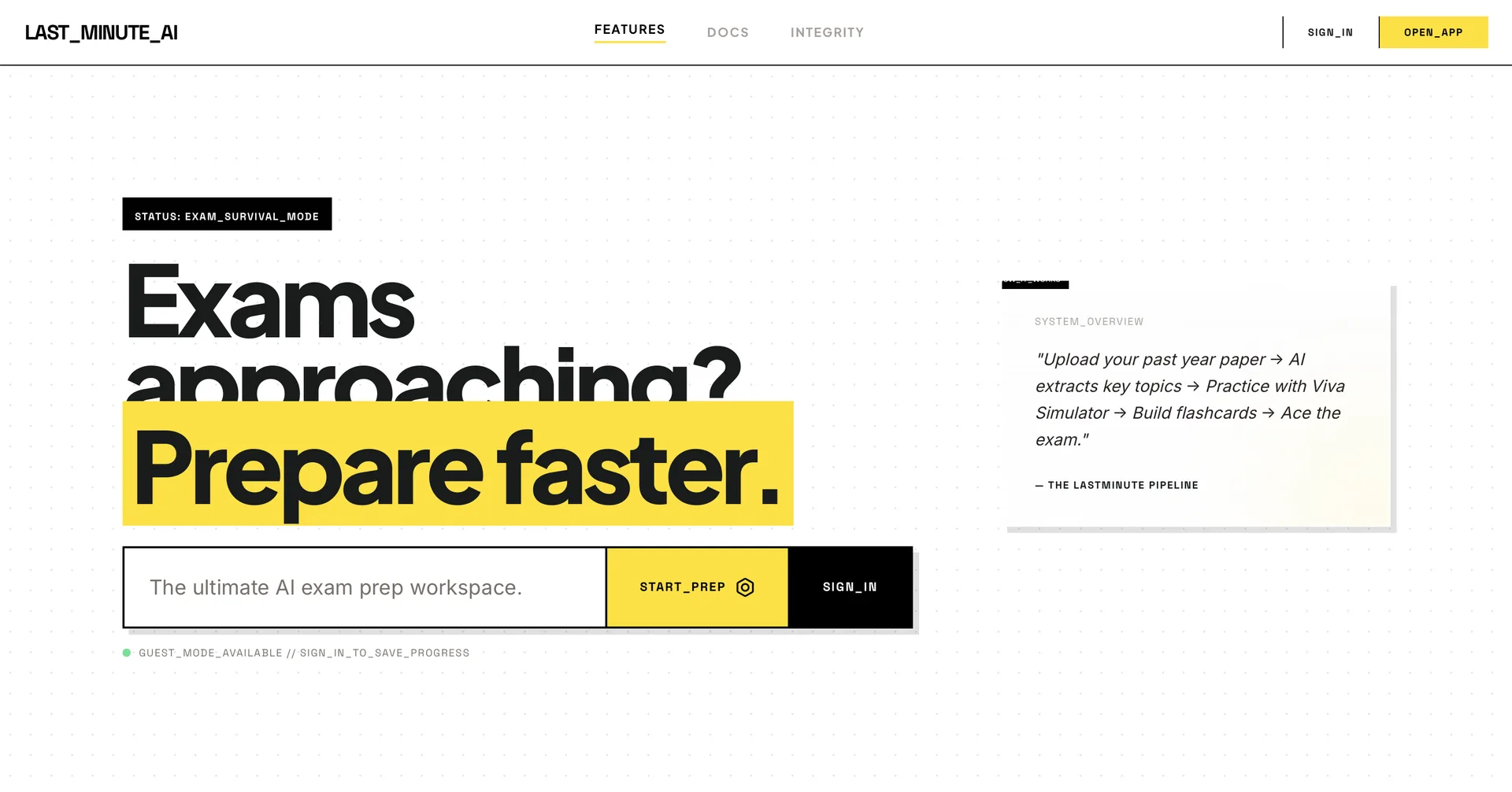
Why I built an exam-focused AI study tool for students who need useful output fast.
The Problem
Students preparing for exams under time pressure face information overload, scattered notes, and no clear sense of what matters most.
What I Built
Built a lightweight AI study assistant around fast revision, flashcards, and summarized material instead of a generic all-purpose chat app.
Where It Stands
The core study and summarization flows work. The product is still being tested to understand where it helps most under exam pressure.
Stack
The Article
Why it existed
I started Last Minute AI because studying under pressure is a very specific kind of panic. You do not need a giant learning platform in that moment. You need something fast, calm, and useful enough to help you decide what matters first.
A lot of study tools assume the user has time and patience. That is fine for planned learning, but it misses the mood of the night-before-exam situation where people are trying to reduce chaos as quickly as possible.
I kept thinking about what I would personally want if I was staring at too much material and not enough time. The answer was not more content. It was a better way to understand what mattered right now.
I wanted to build for that exact moment. The product needed to help a student regain control, not just generate more information for them to sort through.
The first version
The first version focused on a simple idea: turn messy study material into something that feels more manageable. I wanted it to help with last-minute revision instead of pretending to replace the actual learning process.
I started from the assumption that the user already has content, notes, PDFs, or topics they do not fully trust. The product’s job was to reduce the amount of mental sorting they had to do before they could actually study.
So the early loop was built around compression: summarize, turn into flashcards, and help the student see what deserves attention now versus what can wait.
That framing kept the product useful even when the underlying material was messy. The software did not need to know everything. It only needed to help the student face the material with less panic and less waste.
Tech stack and decisions
The stack was practical rather than fancy: Next.js, OpenAI, PostgreSQL, React, and Tailwind. I wanted something quick to iterate on because the product was going to live or die based on whether it felt fast.
The most important decision was to keep the UI light. If the user is already stressed, extra chrome becomes friction. The interface should feel like a calm desk, not a complicated dashboard.
I also had to make the AI output more structured than a general chatbot response. Students need something they can scan, trust, and act on immediately.
A lot of AI products fail because they make the first impression feel clever instead of useful. I tried to avoid that by making the interface read like a study aid, not a demo of what the model can do.
Problems, bugs, and pivots
The hard part was not generating text. It was making the output feel trustworthy and quick enough for a stressed student to use without losing momentum. That meant trimming the interface, reducing friction, and being careful about where the AI is helpful versus where it is just noise.
The product needed to avoid sounding like a generic assistant because students can tell very quickly when a tool is pretending to be smarter than it is. I had to make the system more opinionated and less chatty.
Another issue was pacing. If the app feels slow, the whole emotional value drops. In a last-minute study scenario, speed is not a nice-to-have. It is the point.
The pivots were mostly about trust and tone. The app had to speak clearly, move quickly, and avoid overwhelming a user who was already behind.
What the build felt like
This product felt emotionally different from the others because the pressure case was so immediate. You are not helping someone browse casually. You are helping them stop panicking and start making progress.
That meant I kept asking whether the app reduced stress or simply added another thing to think about. The best parts of the build were the moments when the answer became obviously yes. The worst parts were when I could see the product slipping toward “clever” instead of “helpful,” because students have no patience for that when time is running out.
A few specifics
I kept the product focused on fast comprehension because that is what last-minute studying actually needs. A student does not need a lecture. They need a shorter path to the part that matters.
That is also why the flashcard direction made sense. It is simple, familiar, and immediately useful when time is short.
What I’d change next
The next improvements should make the app better at handling rough input without requiring the student to clean everything up first.
I would also keep pushing on clarity so the output reads like a study aid a real student would trust, not a generic AI answer that happens to have the right topic names.
If I ever took this much further, I would want it to feel like a very specific exam companion with a clear opinion on what matters, not a broad educational platform that tries to cover everything.
That specificity is what makes the product believable. The more it acts like it understands the pressure of the moment, the less it feels like another AI wrapper and the more it feels like a real study tool.
What the pressure case taught me
Building for a deadline-driven use case changes how you think about every screen. You are not optimizing for exploration. You are optimizing for relief. That means the interface should lower the mental load immediately, even before the user understands the whole product.
That lesson made me more careful about tone. If the product sounds too academic, it feels slower. If it sounds too generic, it feels fake. The sweet spot is calm, direct, and useful in the first ten seconds.
It also made me think more about what “helpful” means in AI products. Helpful does not always mean more output. Sometimes it means fewer choices, cleaner organization, and a better sense of what to do first.
That is probably the most honest reason I kept building Last Minute AI: it gave me a chance to build something that tries to reduce panic instead of just showing off that the model can produce a lot of text.
What I’d never add
I would not add features just because other study tools have them. The product is strongest when it stays focused on the moments where a student needs help most.
That means I am skeptical of anything that makes the workflow longer in the name of completeness. If something does not improve speed, clarity, or trust, I do not want it in the app.
It is tempting to treat study software like a product that should do everything. I think that makes it worse. The better version is a narrow companion that stays useful under pressure.
That restraint is part of the product’s identity now.
How the app should feel
I want the app to feel like a calm shortcut. Not a huge platform. Not a loud AI demo. Just a place you can open when your notes are messy and your time is running out.
If it feels calm, the user can think. If it feels noisy, the user gets more anxious. That emotional layer matters more than people admit when they talk about AI tools.
The goal is not to impress the student with cleverness. It is to get them back into a state where they can actually study.
That is why the tone, pacing, and output structure all matter as much as the underlying model.
What the product taught me about AI
This product taught me that AI is only useful when it respects the context of the person using it. The same model can feel helpful or useless depending on whether the surrounding experience is designed well.
A lot of AI apps fail because they think the model is the product. In reality, the product is the way the model fits into the user’s workflow.
With Last Minute AI, that meant making the app feel like a study tool first and an AI product second. The model should serve the moment, not overshadow it.
That lesson keeps showing up in other work too. The model is leverage, but the workflow is what makes the leverage usable.
What I learned
- Speed is a feature when the user is under pressure.
- Study tools fail when they become too clever.
- A small, focused workflow beats a big learning platform if the moment is urgent.
What’s next
I want to keep the product honest about its purpose: help students focus, revise, and move faster when the deadline is already too close.
If I keep building it, I want the product to stay narrow and avoid drifting into a huge study suite. The value is in being quick and useful during pressure, not in trying to replace every study habit people already have.
The next version should keep sharpening that last-minute loop until it feels obvious, fast, and worth opening without thinking.
If it keeps growing, I want it to grow by becoming more helpful in the exact stressful moments it was built for, not by becoming louder or broader.